Budgets & analytics
Keep AI review spend under control with fine-grained budgets, then use the analytics dashboard to see exactly where your budget goes — by team, repo, model, and more.
1. Fine-grained budgets
Every review agent gets fine-grained budgets in three windows: daily, weekly, and monthly — all denominated in USD. PURA tracks estimated spend per review and stops before a budget is crossed, so you never wake up to a surprise bill.
- Daily cap — resets every day at midnight UTC.
- Weekly cap — resets every Monday (UTC).
- Monthly cap — resets on the 1st of each month (UTC).
Caps are estimates, not guarantees. PURA tracks spend based on the provider's reported token usage. Set caps conservatively if you need a strict ceiling.
Separate from your plan's review allowance. Dollar caps are independent of the number of reviews your plan includes each month. If you use up that review allowance, PURA also pauses reviews until the 1st of the next month — see pricing.
2. Where caps apply
Caps can be set at three levels, each checked in order before a review runs:
- Agent level — a single cap covering all reviews that run through the agent. When the agent's overall cap is reached, the whole agent stops until the window resets.
- Scope level — a cap on a specific team, repo, author, or PR group you've defined. Use this to cap a noisy repo separately from the rest, or give one team a smaller monthly budget than the agent as a whole. Reaching a scope cap blocks that entity only — the agent keeps serving everything else.
- Provider level — a cap on an individual AI provider within the agent, so you can limit how much goes to any one vendor. When a provider's cap is reached, PURA moves to the next provider in the chain.
Tip: scope-level caps are a great way to keep high-volume or experimental repos from consuming your whole agent budget.
3. What happens at the cap
When a budget window is exhausted, PURA keeps reviews flowing wherever it safely can:
- Agent cap reached — the agent stops for that window. If another agent can take the PR, the review runs there; otherwise it's skipped, and PURA leaves a comment on the PR naming the agent and the cap that was reached.
- Scope cap reached — that team, repo, author, or PR group can't use the agent until the window resets; other entities are unaffected.
- Provider cap reached — PURA checks the next provider in the agent's fallback chain; a provider with headroom reviews the PR instead.
- Reviews resume automatically when the window resets (daily, Monday, or the 1st) — or as soon as you raise a cap.
No silent overruns. PURA never spends beyond your caps — if a review is skipped you'll always see a comment on the PR explaining which cap was reached.
4. The analytics dashboard
The analytics dashboard gives you a clear picture of where your AI review spend goes. At a glance you'll see:
- Summary cards — total reviews, total spend, and total tokens consumed across your selected period.
- Budget cards — daily, weekly, and monthly spend compared against your caps, so you know exactly how much headroom you have left.
- Leaderboards — your top providers, models, repositories, users, and teams ranked by review volume.
- Review logs — a detailed record of every review run: agent, provider, model, findings by severity, and exact usage and cost.
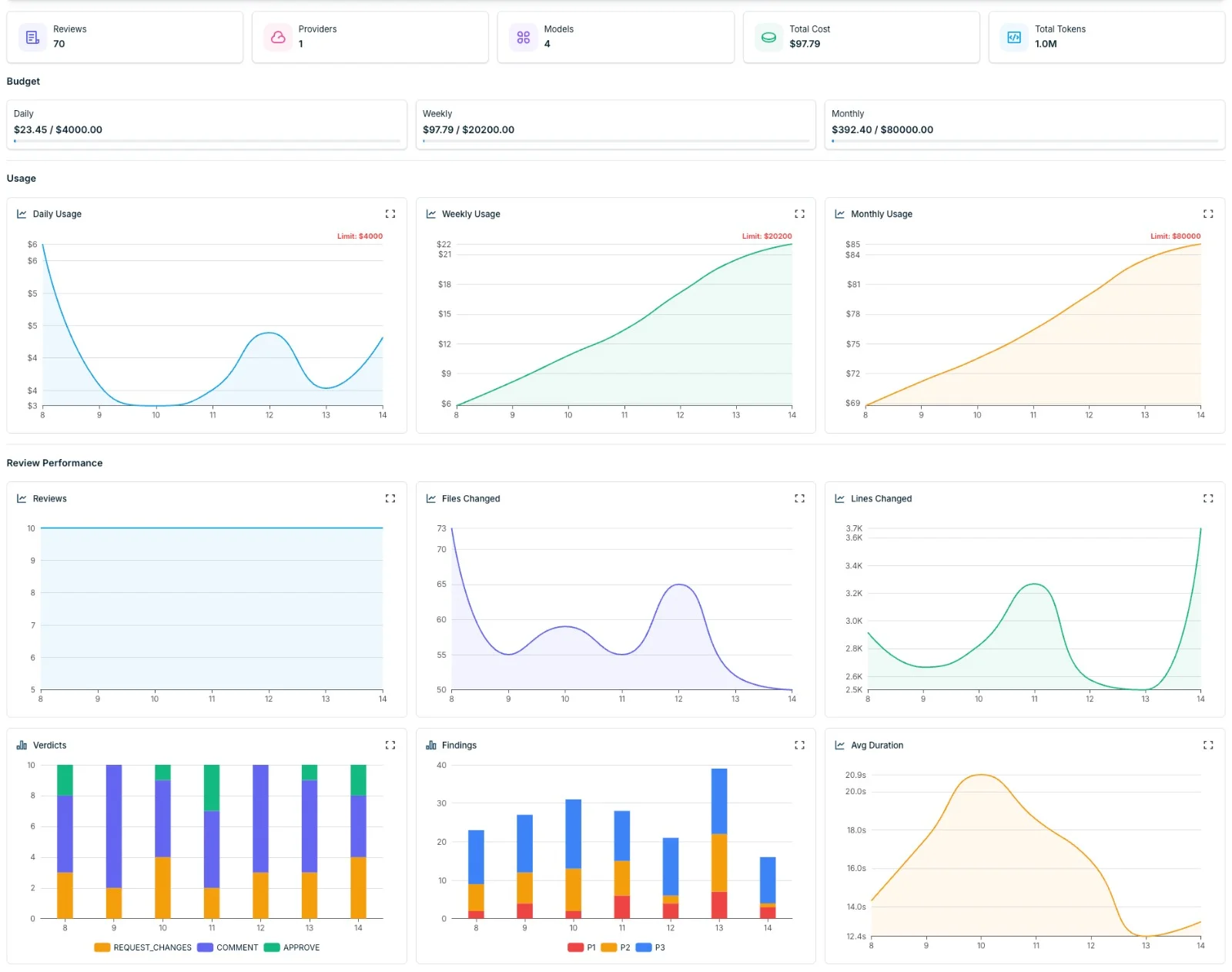
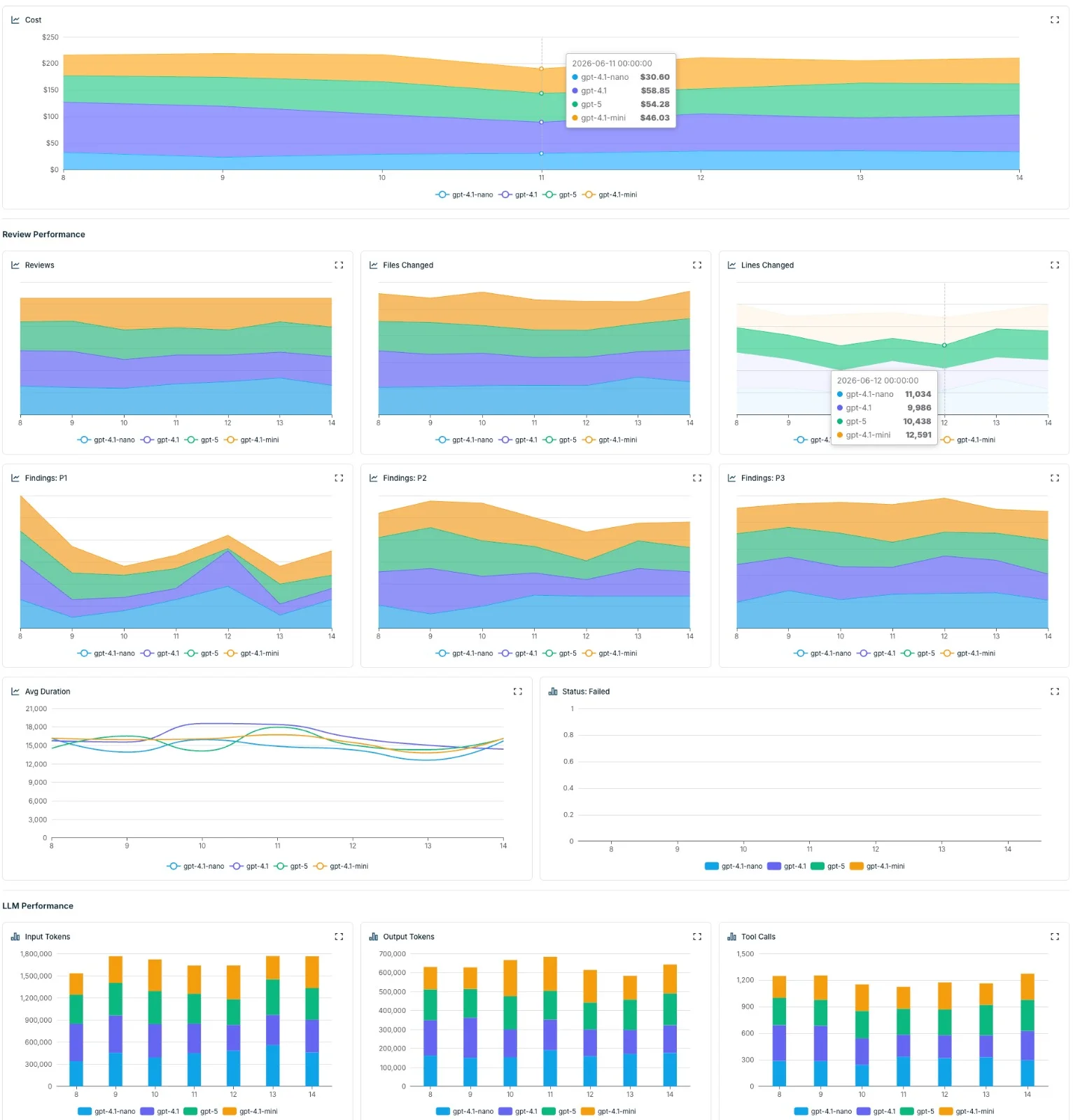
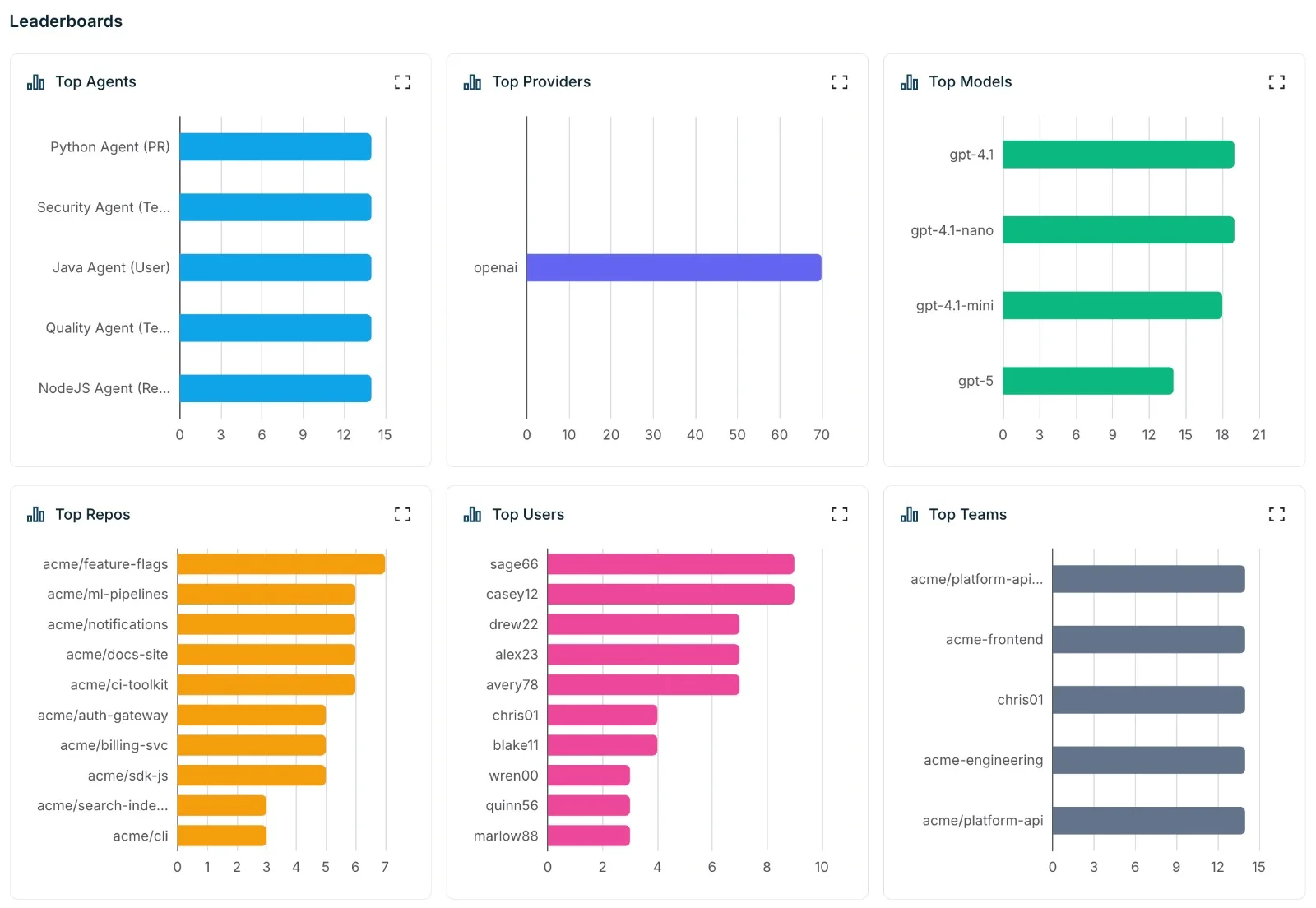
Every view is filterable by date range, team (owner or contributor), repo, user, model, provider, or agent — making it easy to drill into exactly which teams and repos are driving spend.
Your plan includes a number of dashboard seats — invite teammates so everyone can keep an eye on review spend.
Sign in to see your data. The dashboard is available at app.pura.sh — log in with GitHub to access your organization's analytics.